Is a switch from DocuSign in the cards for you? Price may only be part of the reason. As your signing volume grows, envelope limits, user costs, and the features you actually need can make it worth looking at DocuSign alternatives.
Let’s start with the good news, a lot of fear comes in with switching a long term provider, but switching eSignature platforms doesn’t mean starting from scratch. With the right migration plan, you can preserve your existing records, recreate your important templates and workflows, and move your team over without disrupting day-to-day signing.
Here’s how to migrate from DocuSign, what to look for in a replacement, and why FlexiSign may be a better fit for businesses that want a lower-cost eSignature platform.
Why Are Teams Looking Beyond DocuSign?
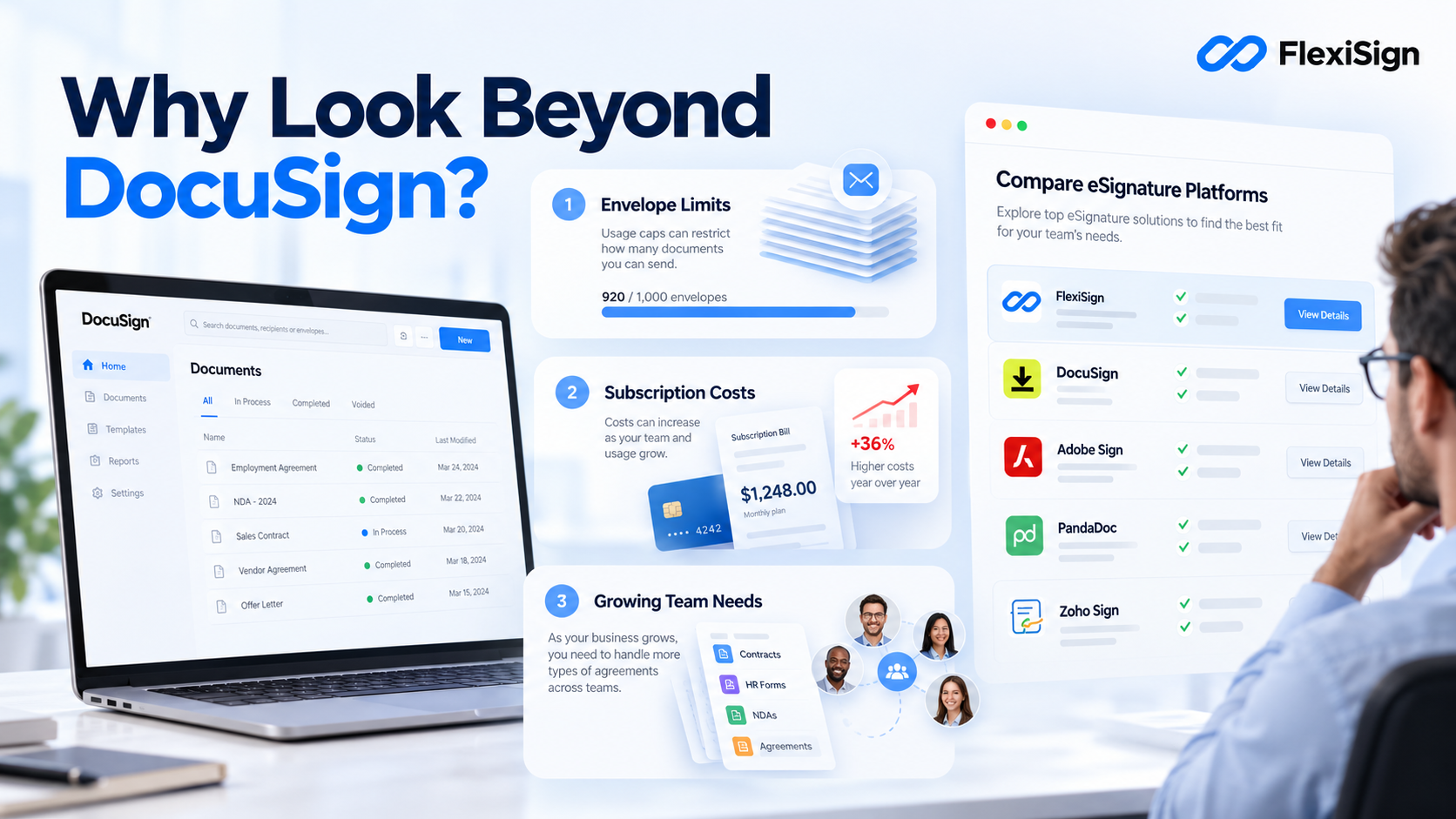
We all know, DocuSign is a very well-established eSignature platform, but its pricing and usage model does not necessarily work for all businesses.
Its current Personal plan includes five envelopes per month, while its Standard and Business Pro annual plans include up to 100 envelopes per user per year. Importantly, a sent envelope counts toward the allowance whether or not it is eventually signed or completed.
Well, for businesses that send documents regularly, those limits can really put a dent in the budget.
Another common trend we are observing is, there can also be a mismatch between the platform you have and the features your team actually needs. If you’re mainly sending contracts, proposals, NDAs, HR documents, or other agreements for signature, it makes sense to compare DocuSign alternatives before automatically renewing.
What to Look for in a DocuSign Alternative
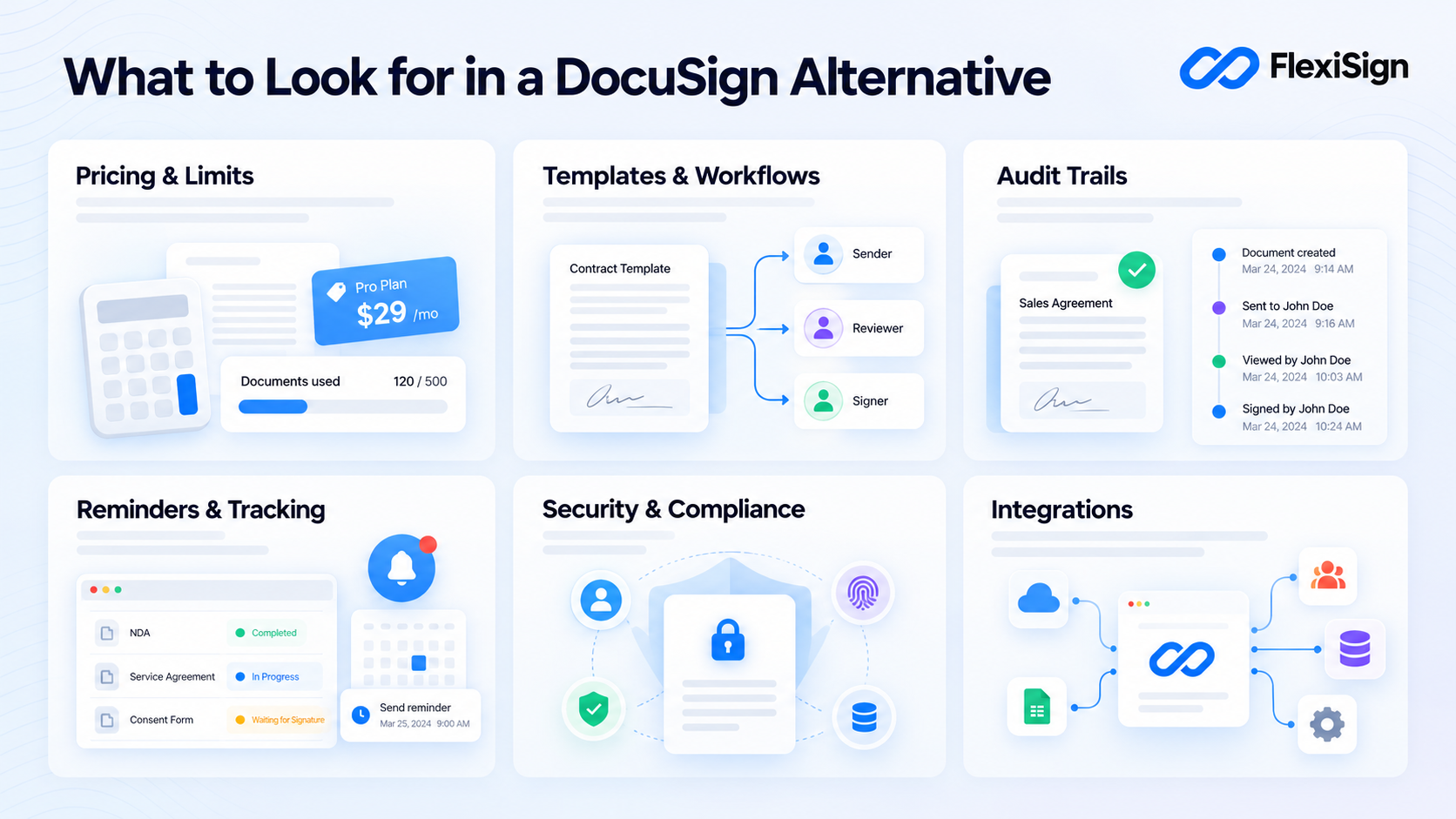
Our goal today is not to find the cheapest tool. It’s to find one that gives you the signing volume, workflows, security, and features you actually need at a price that makes sense. Before you replace DocuSign, lets list out the features you should compare with your next e-signing software.
Pricing and document limits
Check how each platform measures usage. DocuSign uses envelopes, while FlexiSign’s plans are based on documents per month. These aren’t identical units, so don’t treat them as a direct one-to-one comparison.
Templates and workflows
If your team repeatedly sends the same agreements, look for reusable templates and signing workflows that reduce manual setup.
Audit trails
Your eSignature platform should provide a record of signing activity, including important events and timestamps.
Reminders and tracking
Automatic reminders and document-status tracking can eliminate a lot of manual follow-up.
Security and compliance
Consider the certifications, authentication options, data residency, and compliance requirements relevant to your business.
Integrations
If your current DocuSign account connects to other business tools, make sure your replacement can support the integrations your team actually depends on.
DocuSign vs. FlexiSign vs PandaDoc vs DropBox Sign: A Quick Look
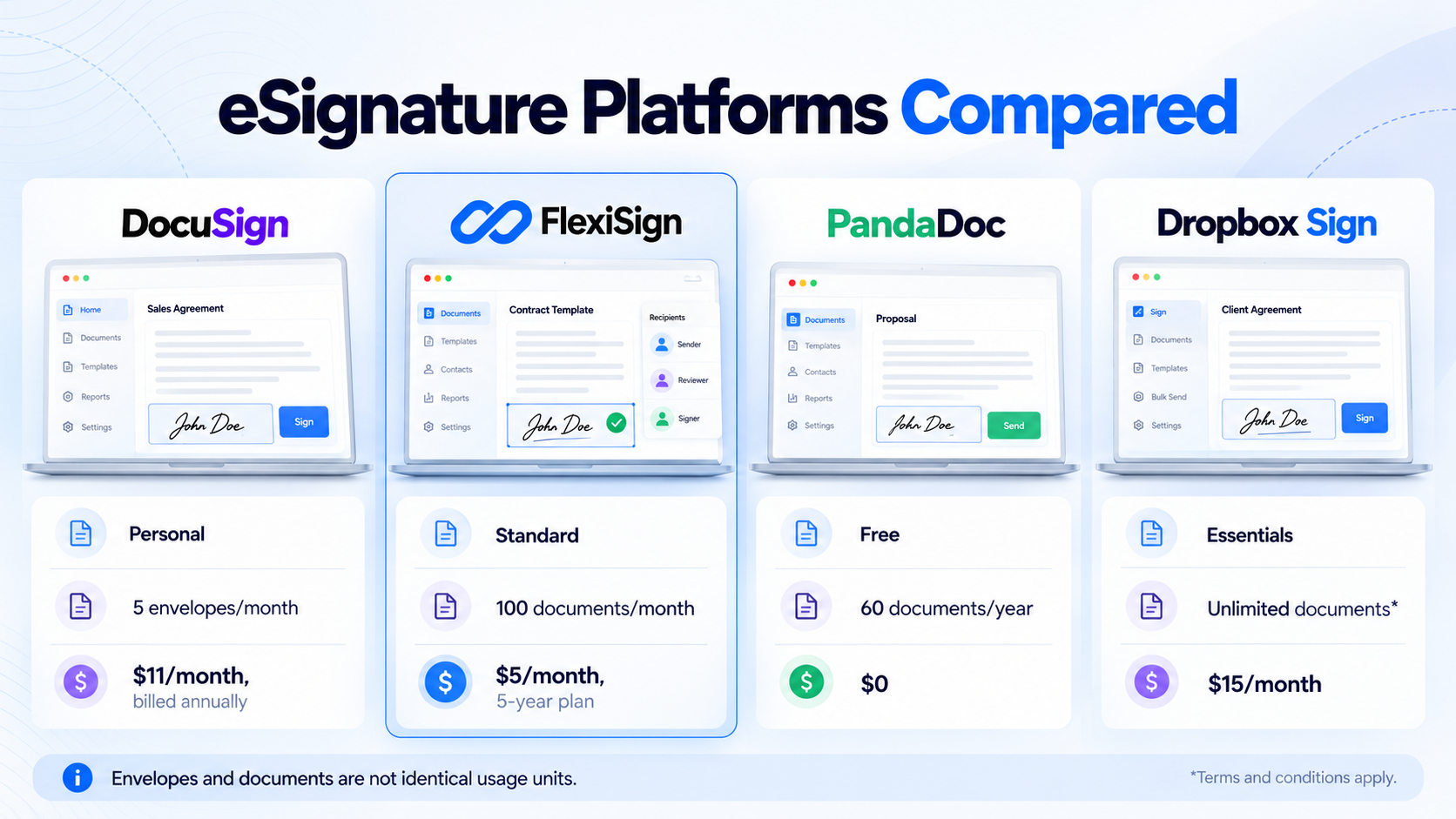
| DocuSign | FlexiSign Standard | FlexiSign Business | PandaDoc Free | Dropbox Sign Essentials | |
| Usage model | Envelopes | Documents | Documents | Documents | Documents |
| Included volume | 5/month on Personal; up to 100/user/year on Standard annual plans | 100/month | 350/month | 60/year | Unlimited documents* |
| Signing workflows | Available | Included | Included | Limited | Included |
| Audit trail | Included | Included | Included | Included | Included |
| Reminders | Included | Included | Included | — | Included |
| Multiple users | Available by plan | Included | Included | — | Available by plan |
| Data residency | Available by plan | Included | Included | — | — |
| SOC 2 Type II | Yes | Included | Included | Yes | Yes |
| HIPAA support | Available on relevant plans | — | Included | Available on paid plans | Available on paid plans |
| Free option | Free trial | Get started for free | Get started for free | Yes | Free trial |
| Starting price | $11/month Personal, billed annually | $5/month on 5-year plan | $17/month on 5-year plan | $0 | $15/month Essentials |
Pro- Tip: The best takeaway we could give you is to compare your actual monthly signing volume and required features, rather than comparing headline prices alone.
How to Switch from DocuSign
Moving away from DocuSign is easier when you treat it as a planned migration rather than a simple platform swap. Here’s how to make the switch with absolutely minimal disruption.
Step 1: Audit Your Current DocuSign Usage
Before you migrate from DocuSign, make a list of what your team actually uses.
Look at:
- Active templates
- Frequently sent documents
- Completed agreements
- Signing workflows
- Team members and seats
- Integrations
- Embedded signing links
- Authentication settings
- Reminder settings
This gives you a migration checklist and helps you avoid paying for features you rarely use.
Step 2: Preserve Your Completed Documents
Don’t cancel your DocuSign account before dealing with your historical records. Identify the completed agreements your business needs to retain and download the documents and associated records required by your organization’s retention policies.
This is important because the final signed PDF isn’t necessarily the only record you need. DocuSign’s transaction data can include participants, timestamps, envelope status, and other activity, and its platform provides access to eDocuments and Certificates of Completion.
Keep these records somewhere your business can access them independently of the old platform.
Step 3: Recreate Your Templates
Next, identify the templates your team uses most often.
For each template, document:
- Signer roles
- Signature fields
- Required fields
- Initial fields
- Signing order
- Instructions
- Email messages
- Reminder settings
Don’t waste time rebuilding templates nobody uses. Start with the documents that are sent most frequently and work through the rest later.
Also, don’t assume a DocuSign template can be imported directly into every alternative. Confirm the replacement platform’s specific migration capabilities before promising a one-click transfer.
Step 4: Rebuild Your Signing Workflows
Your templates aren’t the whole process. Consider how each document moves from preparation to completion.
For example:
Sales creates contract → Manager reviews → Customer signs → Company signs
Your new platform should be configured to reflect the appropriate recipient roles, signing order, reminders, and authentication requirements.
FlexiSign includes signing workflows, multiple users, user permissions, notifications and reminders, and other workflow features on its Standard and Business plans.
Step 5: Run a Small Pilot
Don’t replace DocuSign across the entire company overnight. Start with a low-risk document and test the complete process:
Create → Send → Receive → Sign → Complete → Retrieve
Check that:
- The right people receive the document
- Signing fields work correctly
- The signing order is correct
- Reminders work
- Completed documents are accessible
- The audit trail is captured
- Any required integrations work
Once the process works, let a few team members test it before moving everything over.
Step 6: Cut Over From DocuSign
Once your new process is working, choose a clear cutover date and route all new signing requests through your replacement platform.
Migration Mistakes to Avoid
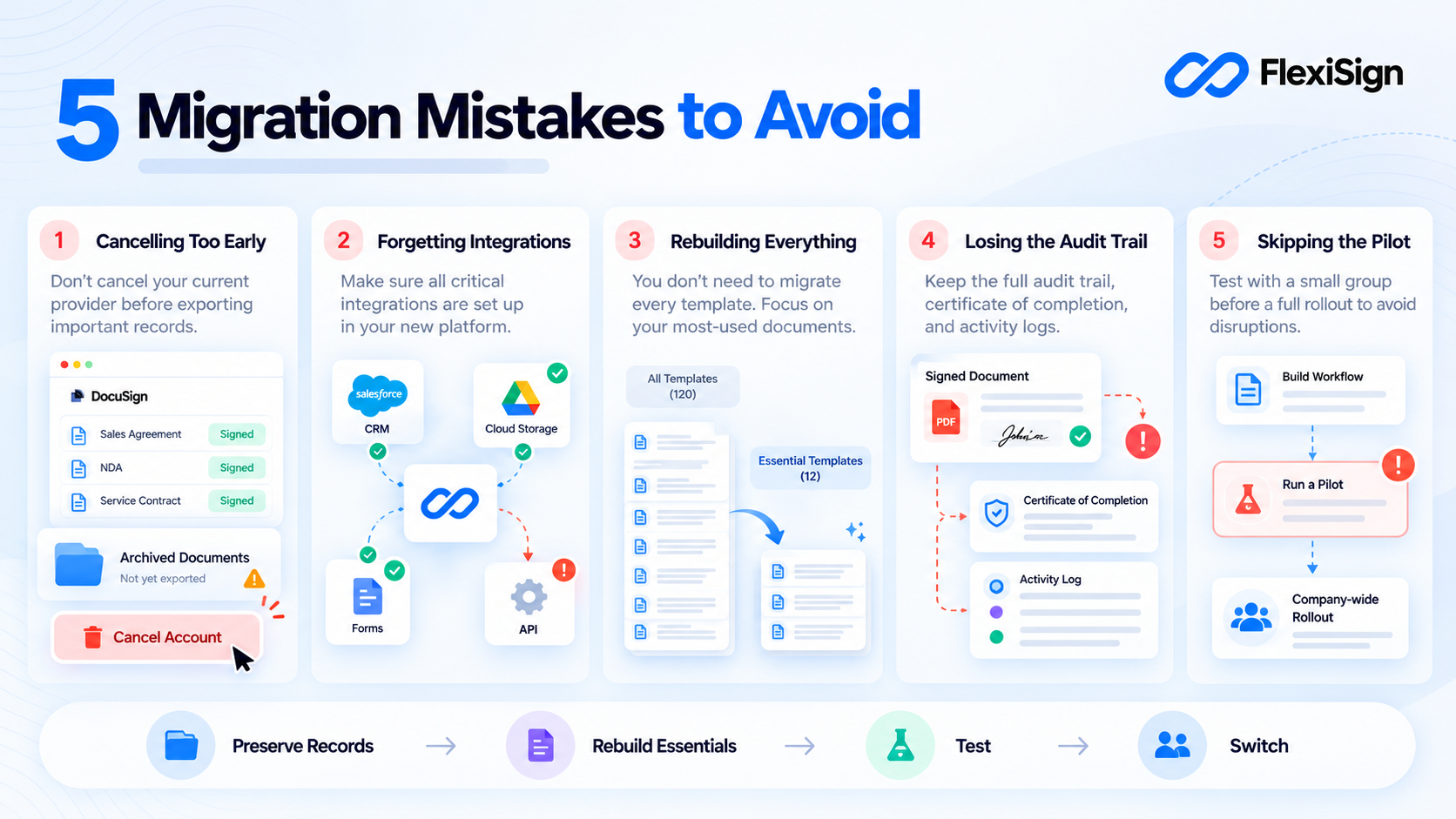
Now that you know how to switch eSignature platforms without it being complicated, remember not to rush through it. Here are the most common ones to avoid.
Cancelling too early
Don’t cancel DocuSign before you’ve preserved the documents and records your business needs.
Forgetting integrations
Check every CRM, form, storage platform, API connection, and embedded signing workflow that currently depends on DocuSign.
Rebuilding everything
Start with the templates and workflows your team actually uses. There’s no reason to recreate years of unused documents.
Losing the audit trail
Don’t preserve only the final signed PDFs. Determine what transaction and completion records your organization needs to retain.
Skipping the pilot
A short test run can uncover problems before they affect your entire team.
Why FlexiSign Is a Strong DocuSign Alternative
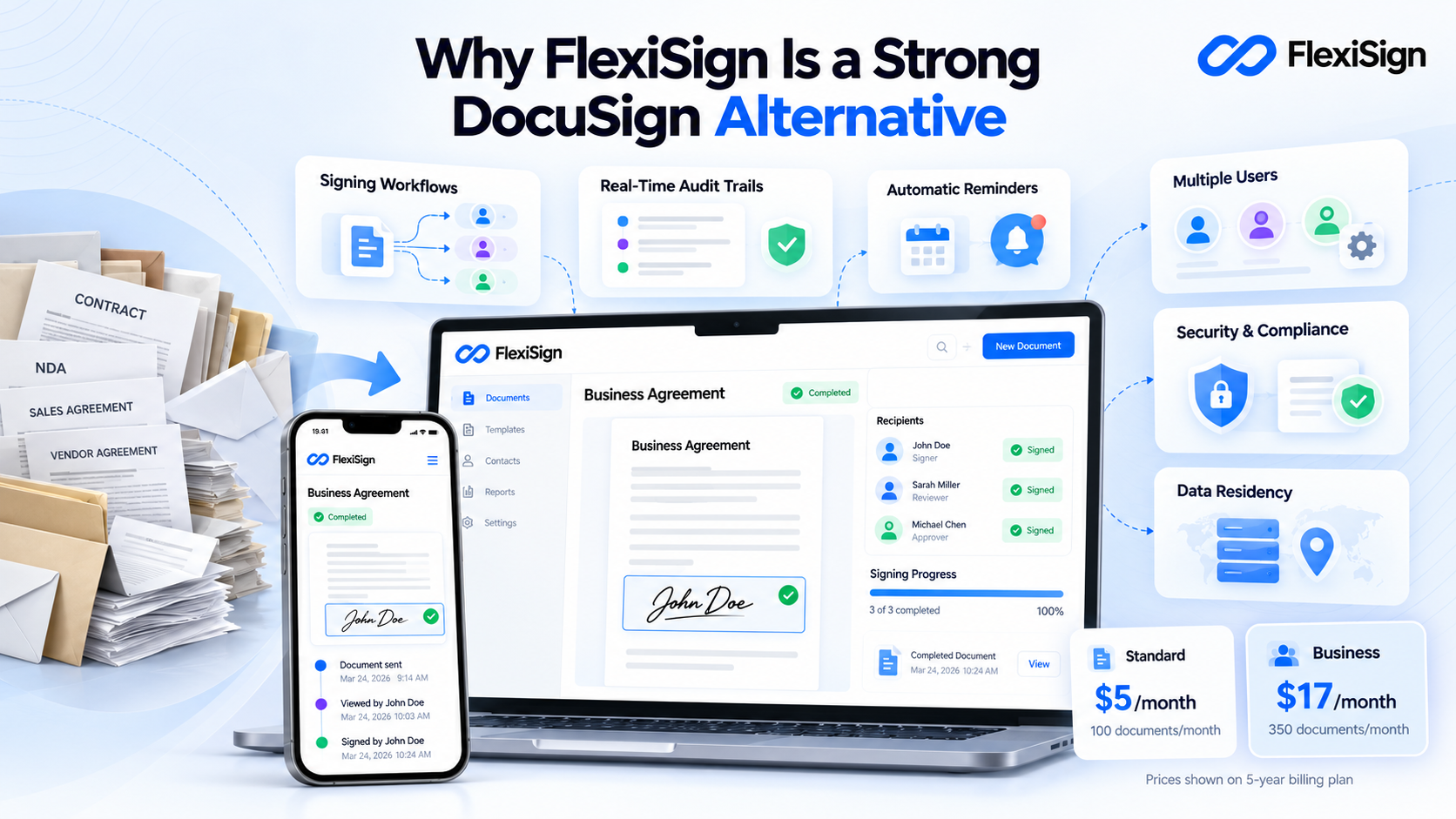
If you’re looking for a DocuSign alternative for small business or a growing team, FlexiSign offers a combination of signing workflows, document tracking, reminders, audit trails, multiple users, and security features.
Its pricing is also structured differently from DocuSign. FlexiSign’s Standard plan is listed at $5/month when billed on the 5-year plan, with up to 100 documents per month. Business is listed at $17/month on the same billing option, with up to 350 documents per month. Enterprise offers custom pricing and unlimited documents.
Again, these aren’t directly comparable to DocuSign’s envelope allowances. But if your business sends a significant number of straightforward signing requests each month, the difference in usage models is worth evaluating.
Both FlexiSign Standard and Business include:
- Signing workflows
- Real-time audit trails
- Notifications and reminders
- Mobile-responsive signing
- Scheduled sending
- Pre-filled fields
- Customized branding
- Multiple users
- User permissions
- Data residency
- SOC 2 Type II
- ISO 27001
- GDPR
Business additionally includes knowledge-based authentication, ID verification, and HIPAA support through a BAA.
That makes FlexiSign particularly interesting for businesses that want to move away from DocuSign without giving up core signing, workflow, security, and tracking capabilities.
FAQs
Is there a genuinely free DocuSign alternative?
Some eSignature platforms offer permanent free plans, while others offer free trials or free ways to get started. FlexiSign currently offers a “Get Started For Free” option, with Standard, Business, and Enterprise plans available for ongoing use.
Can I import my DocuSign templates?
This depends on the migration capabilities of the platform you’re moving to. Don’t assume that DocuSign templates can automatically be imported into another eSignature platform.
If direct import isn’t supported, recreate your most-used templates using the original documents, fields, signer roles, and workflow settings.
Will my old signed documents stay valid?
Moving to another eSignature platform doesn’t, by itself, invalidate documents that were already properly executed.
However, you should preserve the completed documents and transaction records you are required to retain.
When is the best time to switch from DocuSign?
Ideally, before your next renewal, but only after you’ve tested the replacement platform. Give yourself enough time to preserve records, recreate templates, test integrations, train your team, and move active workflows.
Ready to Switch from DocuSign to FlexiSign?
For teams looking for a cheaper than DocuSign option without giving up core eSignature functionality, FlexiSign offers an easy, free way to get started, followed by paid plans with 100 or 350 documents per month depending on the plan and billing option.
Ready to make the move? Switch from DocuSign to FlexiSign, import or recreate your essential templates, and start signing.